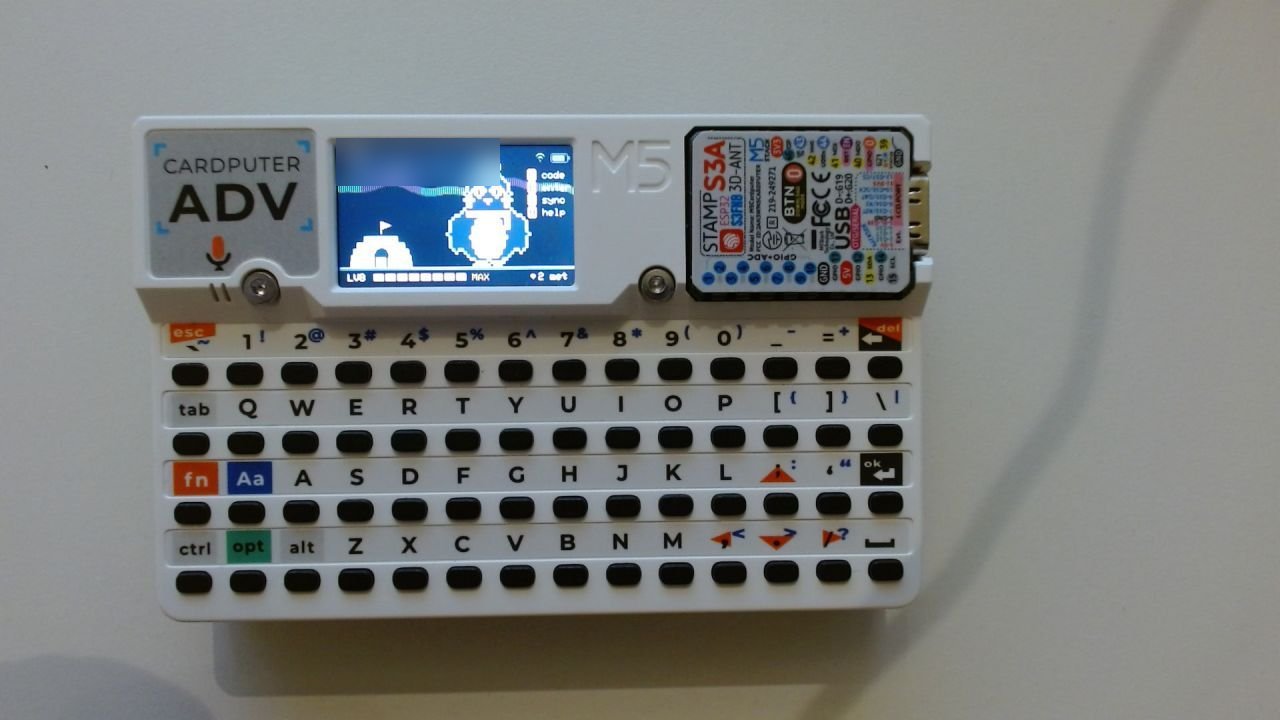
On 13 and 14 October 2026, around 1,000 people came to Berlin for n8n's In The Loop conference – and every one of them got an M5Stack Cardputer ADV: a tiny ESP32 computer with a keyboard and a 240×135 screen. I was there as an n8n Ambassador, and I'd spent the weeks before building one of the apps for it together with Fahmi Fahreza: Icebreaker, a networking game where your pixel-art penguin grows every time you meet someone new.
I wrote the device firmware and parts of the n8n backend. Attendees installed it at the Cardputer station or straight from a web flasher, next to the other apps on the shared launcher.
This is the write-up: how it plays, why all the game logic lives in n8n and not on the device, how you secure a game (or at least try to) whose firmware anyone can download, what a microcontroller with no PSRAM does to your architecture – and what 167 players and 156 meetings taught me about how people actually network at an event.
How it plays
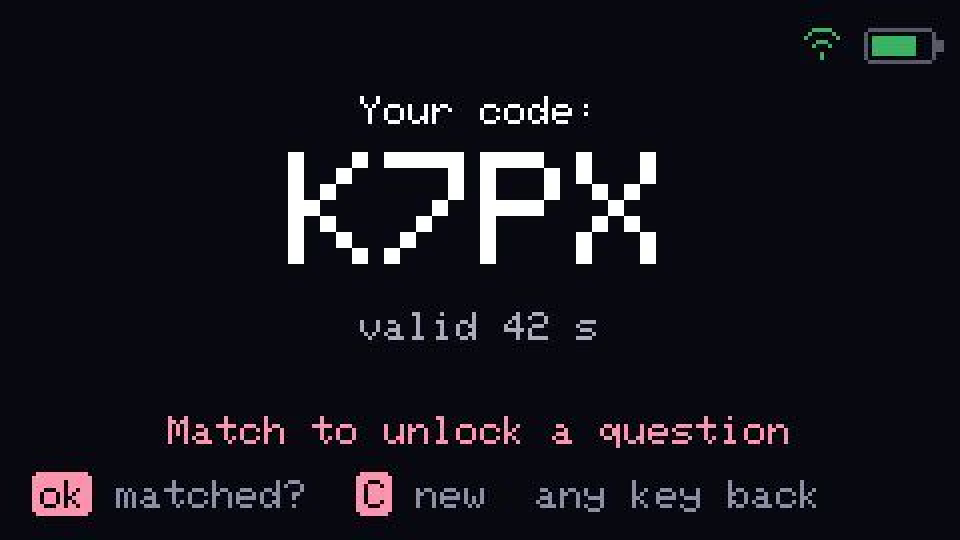
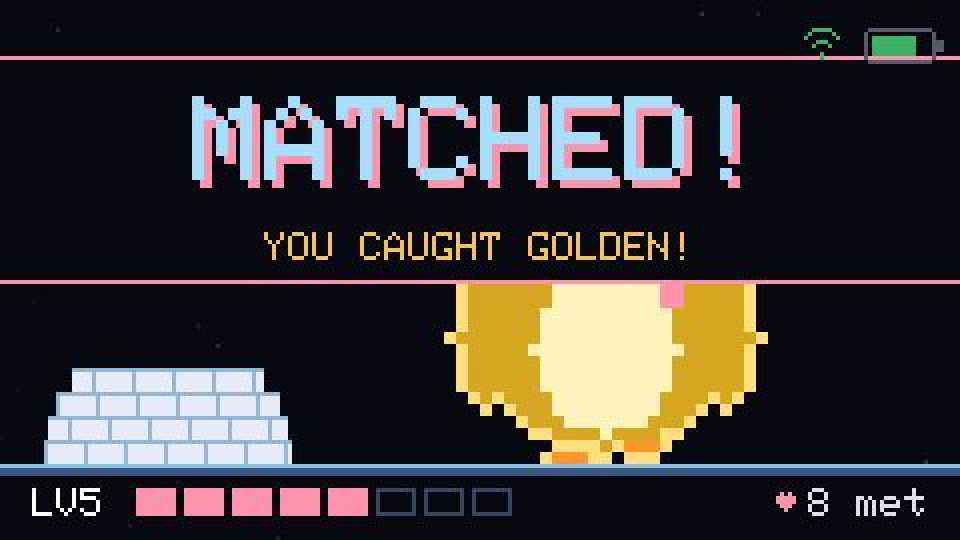
One person presses C and their device shows a 4-character code. The other presses E and types it in. The server matches the two devices, both penguins grow, and both screens show the same icebreaker question so the conversation has somewhere to go.
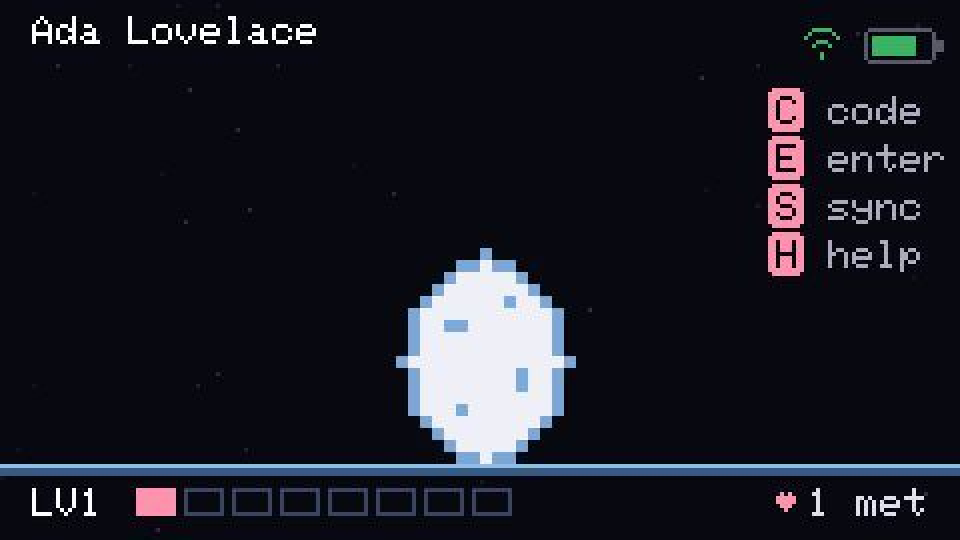
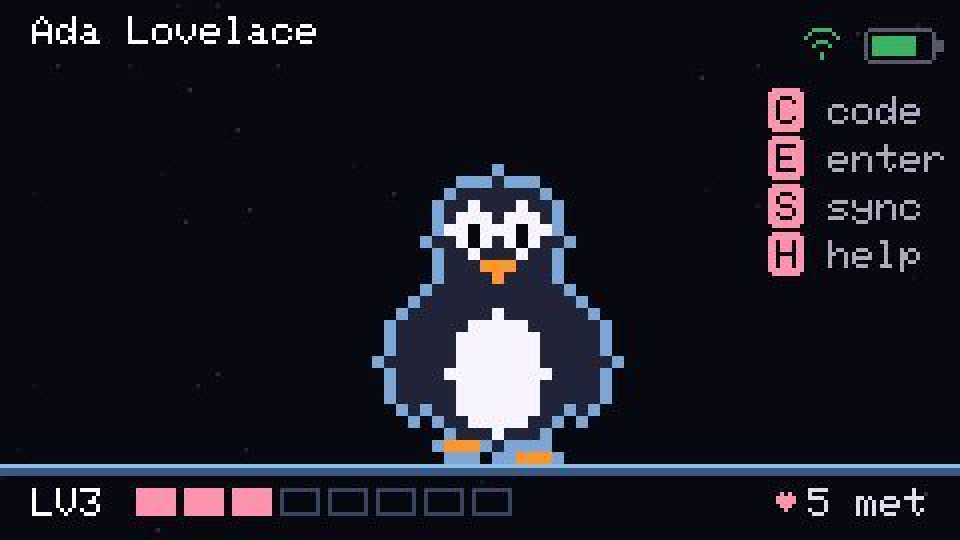
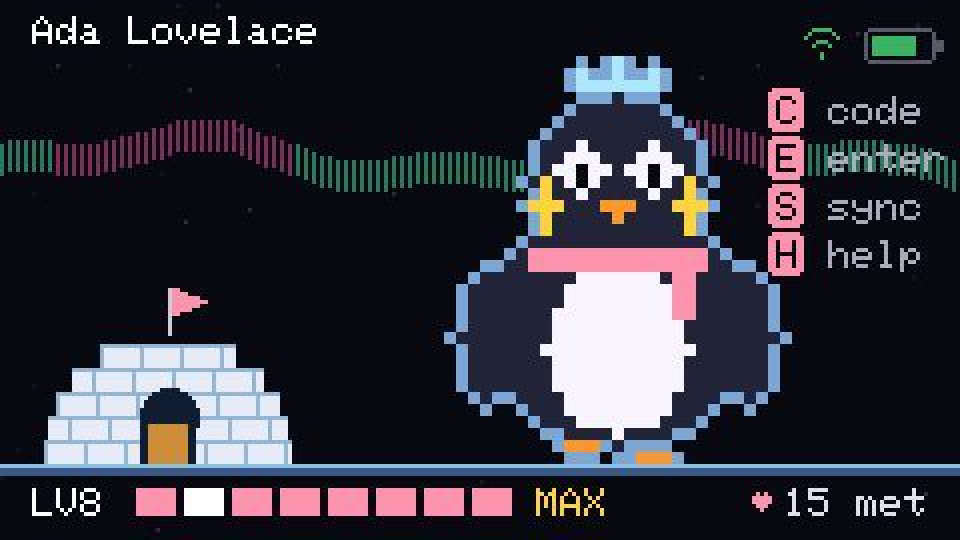
- Eight levels: egg, chick, young penguin, penguin with scarf, emperor – and from level 4 an igloo is built alongside, up to an aurora and an ice crown at level 8.
- A few devices start with a rare variant (Golden, Glitch, Void, Prism). Rares only spread by meeting someone who has one, and not every time.
- A hidden mission: find the easter egg on your device, then meet one of the event hosts for a one-time bonus level.
You have to stand in front of someone to read their code, so every meeting is a real one. That was the whole point.
Rule number one: the device is dumb, n8n is smart
The most important decision: the firmware only draws the penguin, reads keys and calls webhooks. Every rule – issuing codes, matching, growth, cooldowns, rare spreading, leaderboard – lives in n8n workflows.
That bought three things:
- Live tuning. Growth thresholds, cooldowns, spread chance and code lifetime are rows in a config table. Every workflow reads it on each request. Change a value in an n8n form, the next request uses it. No redeploy, no reflash of hundreds of devices.
- Cheat resistance. Nothing on the device decides anything, so there's nothing on the device worth tampering with.
- A stable firmware. Three teams shared one image. The less our app did, the less it could break the others.
The rule we gave ourselves: if a change isn't "how do I draw this" or "how do I read this key", it belongs in n8n.
Architecture
Cardputer (firmware)                      n8n workflows
───────────────────                       ──────────────
register  ─ POST /icebreaker/register ─►  IB Device → Register
state     ─ GET  /icebreaker/state    ─►  IB Device → State
code      ─ POST /icebreaker/code     ─►  IB Device → Issue Code
match     ─ POST /icebreaker/match    ─►  IB Device → Match
question  ─ GET  /icebreaker/question ─►  IB Device → Question

Live Dashboard ─ GET /icebreaker/dashboard ─► IB Dashboard → Feed
Organisers      ─ n8n Form ─────────────────► IB Admin → Config & Moderation
Load test       ─ fake players ─────────────► IB Simulator → Load Test
Any failure     ────────────────────────────► IB Error → Handler
Nine workflows, around 160 nodes in total. The device side is about 2,100 lines of C++.
Here's the simplest of them, IB Device → Register: validate, hash the token, read the device, the config and the token history, decide, save, answer. The sticky note on the left is the documentation – every workflow carries one, so whoever opens it at 8 a.m. on event day knows what it does without asking.

A webhook contract for devices
If you connect hardware to n8n, these rules saved us more than once. They're worth copying:
- Always answer HTTP 200 with
okandmessage. Game failures ("code expired", "cooldown") are not HTTP errors. The device just showsmessage. - Messages under ~24 characters. That's what fits on a 240-pixel screen. The server writes the UI text, so it can be changed without a reflash too.
- Never let a workflow end without responding. If a node throws and nothing answers, the device waits for its timeout and the player stares at a frozen screen in front of a stranger. Every critical node gets an error output that leads to a Respond to Webhook with
{"ok": false, "message": "Server error, retry"}. - Under one second. Two people are standing there waiting.
{ "ok": true, "message": "Matched!", "newStage": 4, "newVariant": "COMMON",
  "totalMatches": 8, "question": "What is the best thing you automated this year?" }
On failure the same fields carry the device's unchanged state, so the device can always render something.
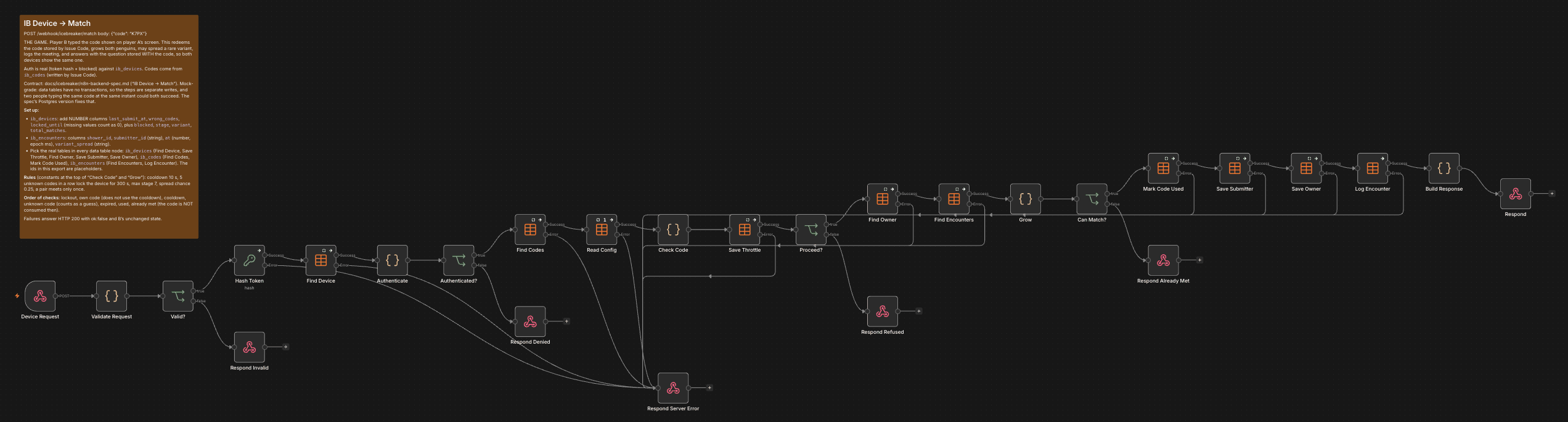
This is what that rule looks like in the busiest workflow, IB Device → Match. Every data table node has its error output wired to Respond Server Error at the bottom – the bundle of lines converging there is the "never leave a device hanging" rule made visible. Refusals that are part of the game (Respond Denied, Respond Refused, Respond Already Met) get their own exits.
The game rules themselves are plain JavaScript in Code nodes. Every constant comes from the config table, clamped to a sane range, with a default if someone types nonsense into the admin form:
// Check Code (IB Device → Match), shortened
const num = (v, d, lo, hi) => { const x = Number(v); return Number.isFinite(x) ? Math.min(hi, Math.max(lo, x)) : d; };
const COOLDOWN_SECONDS        = num(cfg.cooldown_seconds, 10, 0, 600);
const MAX_WRONG_CODES         = Math.floor(num(cfg.max_wrong_codes, 5, 1, 100));
const WRONG_CODE_LOCK_SECONDS = num(cfg.wrong_code_lock_seconds, 300, 0, 86400);

// 2. Guessing lockout.
if (b.lockedUntil > now) return fail('Too many wrong codes');

// Own code: checked before the cooldown, so it does not use it up.
if (row && row.owner_id === deviceId) return fail("That's your own code");

// 3. Cooldown.
if (now - b.lastSubmitAt < COOLDOWN_SECONDS * 1000) return fail('Cooldown, wait a bit');

// 4. Only an unknown code counts as a guess.
if (!row || !/^[A-HJ-NP-Z2-9]{4}$/.test(code)) {
  th.wrong_codes = b.wrongCodes + 1;
  if (th.wrong_codes >= MAX_WRONG_CODES) {
    th.locked_until = now + WRONG_CODE_LOCK_SECONDS * 1000;
    th.wrong_codes = 0;
  }
  return fail('Unknown code');
}
if (Number(row.expires_at) <= now) return fail('Code expired');
if (row.used === true) return fail('Code already used');
The code alphabet leaves out I, O, 0 and 1 on purpose: nobody wants to argue about whether that's an O or a zero while standing in front of a stranger.
Securing a game whose firmware is public
The devices go home with strangers, the firmware image is downloadable from the web flasher, and the flash isn't encrypted. So everything compiled into the firmware is public, including the webhook URLs. And the audience is a conference full of automation people – somebody will script against the API for fun.
What we did about it:
- No secret in the firmware. Each device generates its own 32-hex-character token on first start. The server only stores
SHA-256(token)and never sends a token anywhere. - Codes come from the server, live 60 seconds and work once. Guessing one is pointless: a cooldown between attempts plus a lockout after five unknown codes in a row make brute force slower than walking over to somebody.
- Device takeover is logged, not prevented. The device ID derives from the chip's MAC address, which anyone on the venue Wi-Fi can sniff. Someone who knows it could register the device with a new token. After a reflash, the real owner does exactly the same thing – the two can't be told apart. So it's allowed, rate-limited, and every token change is logged so organisers can spot a takeover.
- No email address. The first design asked for an email to confirm registration. We dropped it for data protection: the game only collects a name, shown on the live Dashboard, and the device tells you so before you type it. A nickname is fine.
The device's only credential is four calls to the ESP32's hardware random number generator:
// 128 bits from the hardware RNG, as 32 hex characters. This is the
// device's only credential; the server binds it on registration and never
// sends it anywhere.
String IcebreakerApp::newToken() {
    char buf[33];
    for (int i = 0; i < 4; ++i) {
        snprintf(buf + i * 8, 9, "%08lx", (unsigned long)esp_random());
    }
    return String(buf);
}
And this is where "logged, not prevented" lives on the server – case C of the Decide node in the Register workflow:
// C: a new token for a known device. A reflash and a takeover look the
// same, so it is allowed, capped and logged; the progress stays.
const limit = num(cfg.token_changes_per_device_per_hour, 3);
const recent = $('Find Token Changes').all().map((i) => i.json)
  .filter((r) => r && r.device_id && now - Number(r.at) < 60 * 60 * 1000);
if (recent.length >= limit) return fail('Too many changes');
return out(
  { ok: true, message: 'Welcome back!', ...state(dev) },
  { device_id: req.deviceId, token_hash: hash, name: req.name },
  { device_id: req.deviceId, at: now, old_token_hash: dev.token_hash || '',
new_token_hash: hash, old_name: dev.name || '', new_name: req.name });Rares: seeding and spreading
Rares only spread from a device that has one, so each variant needs a few carriers from the start. Handing them to the first people who register would reward early arrival, not playing. Instead each new device becomes rare with the probability
p = open seeds / (expected_players − devices registered so far)which spreads the carriers evenly over the whole registration window. In a meeting between a rare and a common device, the rare passes on with a configurable spread_chance. A quick simulation for 800 players at 10 meetings each gave about 500 rares by the evening at 0.3, and about 60 at 0.1 – a good reminder that small probabilities compound fast in a network.
In the Register workflow that's a dozen lines:
const RARES = ['GOLDEN', 'GLITCH', 'VOID', 'PRISM'];
function rollSeed() {
  const all = $('Read Devices').all().map((i) => i.json).filter((d) => d && d.device_id);
  const open = {};
  let openTotal = 0;
  for (const v of RARES) {
    const quota = Math.max(0, Math.floor(num(cfg['seed_' + v.toLowerCase()], 0)));
    const used = all.filter((d) => d.seeded_variant === v).length;
    open[v] = Math.max(0, quota - used);
    openTotal += open[v];
  }
  if (!openTotal) return 'COMMON';
  const left = Math.max(1, num(cfg.expected_players, 800) - all.length);
  if (Math.random() >= Math.min(1, openTotal / left)) return 'COMMON';
  let r = Math.random() * openTotal;
  for (const v of RARES) { r -= open[v]; if (r < 0) return v; }
  return 'COMMON';
}
Counting by seeded_variant instead of variant matters: a rare caught in a meeting must not use up the seeding quota.
The microcontroller is the real constraint
The Cardputer ADV has an ESP32-S3 with 512 KB of SRAM and no PSRAM. Flash is plentiful; RAM is not. A few numbers that shaped the code:
- The launcher gives each app 20 ms per tick. An HTTPS call takes 0.2 s warm and several seconds cold. So network calls run on their own FreeRTOS task (
BackendWorker), one at a time, and the app picks up the answer in a later tick. - A TLS session needs about 40 KB of heap while a request runs. The worker's stack is 10 KB. Both are released after every request.
- The penguin animates every frame. Drawing straight to the panel flickers, so frames are composed in a full-screen 16-bit sprite – about 64 KB – and pushed at around 30 fps. Allocated when the app opens, freed when it closes.
- The app never polls. It asks for state when it opens, after a match and on demand. Polling 800 devices every few seconds would have been our own denial-of-service.
The heart of it is the worker loop. It sleeps on a FreeRTOS task notification, runs exactly one request, and hands the result back through an atomic state flag – no mutex needed, because the app only writes while the worker is idle and the worker only reads while it's running:
void BackendWorker::run() {
    for (;;) {
        ulTaskNotifyTake(pdTRUE, portMAX_DELAY);
        if (_stopping.load()) break;
        if (_state.load() != kRunning) continue;

        Result r;
        r.op = _op;
        switch (_op) {
            case Op::Register: r.state    = _backend->registerDevice(_arg1);        break;
            case Op::State:    r.state    = _backend->fetchState();                 break;
            case Op::Code:     r.code     = _backend->requestCode(_arg1 == "renew"); break;
            case Op::Match:    r.submit   = _backend->submitCode(_arg1);            break;
            case Op::Question: r.question = _backend->fetchQuestion();              break;
            case Op::None:     break;
        }
        // The stack figure is how kStackBytes gets tuned: TLS is the hungry
        // part, and only real handshakes on the device show the peak.
        Serial.printf("[icebreaker] op %d took %lu ms, stack left %u bytes, heap %u\n", /* … */);
        _result = std::move(r);
        _state.store(kDone);
        if (_stopping.load()) break;
    }
    _exited.store(true);
}
The HTTP client keeps its TLS session alive between calls, because a fresh handshake costs seconds. That raises a subtle question: when a reused connection fails, may you retry? Only if it failed while sending – after a read failure the server may already have acted, and a match must never be submitted twice:
// Only failures that happen while sending are retried, on a fresh
// connection: after a read failure the server may already have acted,
// and a Match must not be submitted twice.
if (reused && (status == HTTPC_ERROR_SEND_HEADER_FAILED ||
               status == HTTPC_ERROR_SEND_PAYLOAD_FAILED ||
               status == HTTPC_ERROR_NOT_CONNECTED)) {
    http_->end();
    tls_->stop();
    status = send(path, body);
}
The penguin itself isn't a bitmap. Every stage is drawn from ellipses on a coarse grid, so eight levels and five colour variants cost almost no flash:
// Body half-axes and head radius per stage, in cells. Stages 0 and 1
// are the egg and the chick; the penguin grows from 2 to 5 and then
// keeps its size, the crown and the igloo carry the last levels.
static const int kBrx[] = {0, 0, 7, 9, 10, 11, 11, 11};
static const int kBry[] = {0, 0, 8, 9, 10, 10, 10, 10};
static const int kHr[]  = {0, 0, 5, 6, 6, 7, 7, 7};

// The head sits on top of the body rather than sunk into it: that
// step in the silhouette is what reads as "penguin" and not "owl".
const int headCy = bodyCy - bry - hr / 3;
My favourite comment in the whole codebase is that last one.
Data tables vs. Postgres: an honest trade-off
The spec says: use Postgres. Redeeming a code must happen exactly once, even if two people type the same code in the same second, and that needs an atomic UPDATE … WHERE used = false RETURNING …. n8n Data Tables have no transactions or conditional updates.
We shipped on Data Tables anyway, with the risk written down: they're built into n8n, zero setup, and at the request rates of a conference foyer, two submissions of the same code within milliseconds are rare. The workflows sit behind fixed paths, so Postgres can replace the tables later without touching the firmware. Knowing exactly which guarantee you're giving up – and writing it down – is fine. Not knowing is the problem.
What the network showed
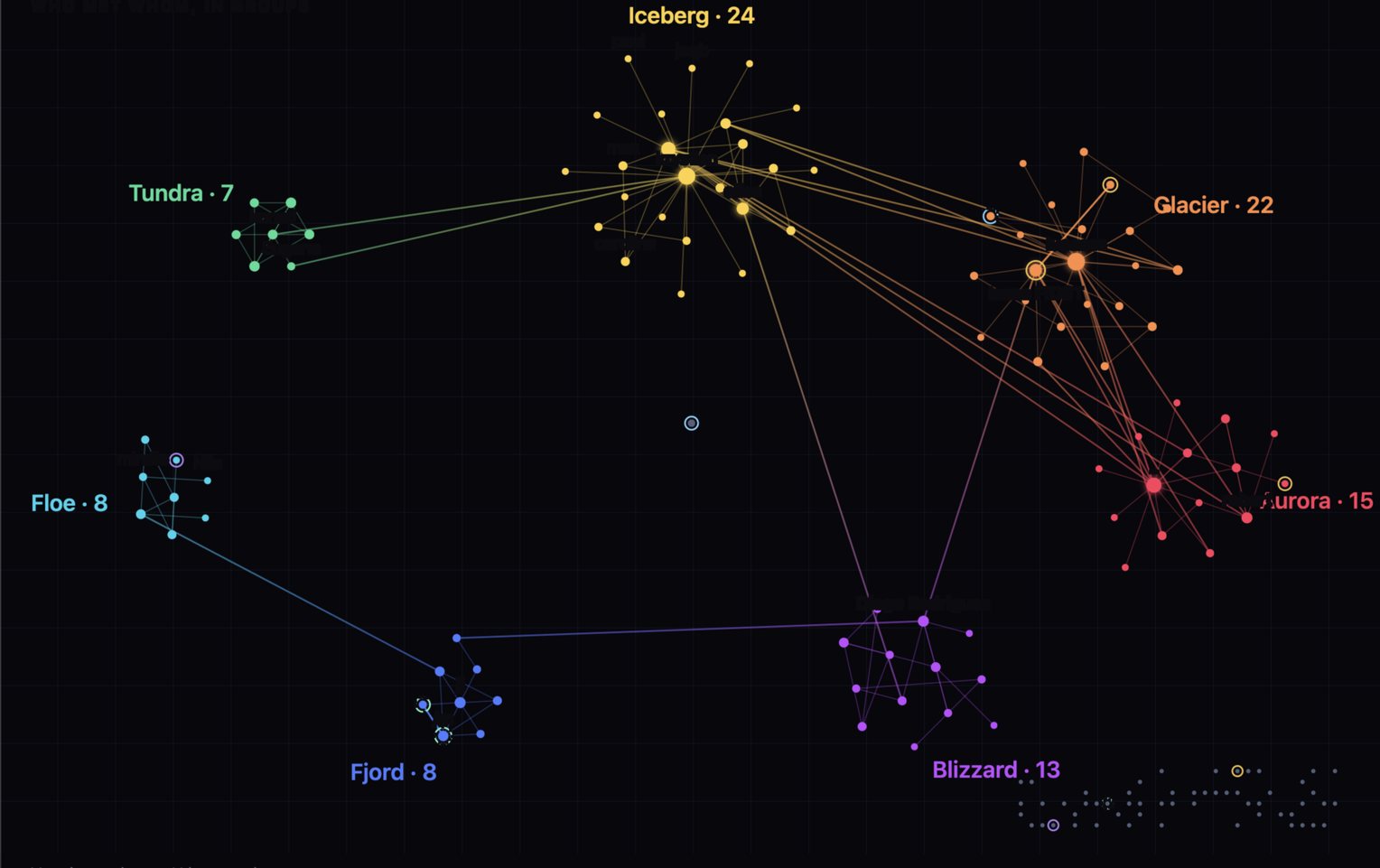
The final numbers after two days: 167 players, 156 meetings, 11 rares, seven groups ("clouds") on the dashboard. The busiest player met others 23 times.
With around 1,000 attendees, that's roughly one in six who installed the game and registered. Not bad for something you had to flash yourself – but it's the first number I'd try to move next time.
What I find more interesting than the totals is the shape:
- People stay in their group. The dashboard's clustering found seven clouds of 7 to 24 people – colleagues, a table at lunch, a workshop. Most meetings happened inside a cloud.
- A handful of people connect everything. The "bridge builders" – the four people who met someone in three different clouds – are the only reason the graph isn't seven islands. Every event has these people. A game can make them visible, and maybe reward them.
- Registering is not playing. Many devices registered and never completed a meeting – the grey dots in the corner. On average a player had fewer than two meetings.
For the next event I'd design for exactly this: reward meetings across clouds more than meetings within one, and give people who only registered a reason for their first meeting – the first one is the hardest.
What I'd keep, what I'd change
Keep:
- Logic in n8n, device dumb. Being able to tune the game from a form while it runs is worth every extra webhook.
- n8n as the backend. It went from idea to a working backend in very little time – and, just as important, one that several people could read, understand and change right away. That's rare for a backend built under conference deadline pressure.
- A written contract between device and server, including failure messages and timing.
- A simulator workflow that plays hundreds of fake players before the real ones arrive.
Change:
- Plan for bad Wi-Fi. On day one the venue network struggled, and every call from a device is a request over that Wi-Fi. What saved us: the device keeps its last known level and variant locally, so the penguin always shows instantly, and it never polls. Next time I'd also queue a typed code and retry it, instead of making two people stand there until the network comes back.
- Lower the install barrier. Opt-in flashing means the game only reaches the curious. Pre-installed, it would have reached everyone.
- Cross-group incentives, so the game pushes people out of their bubble instead of rewarding the bubble.